Thứ Năm, 20 tháng 2, 2014

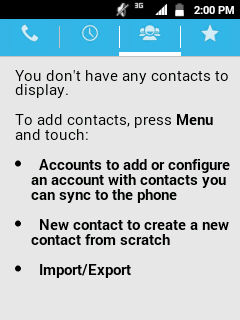
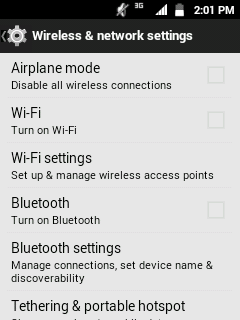
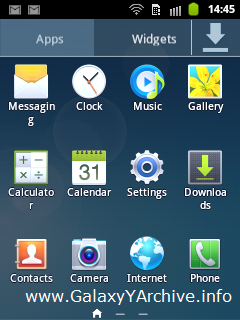
[UPDATE] PureKat 3.0 for Samsung Galaxy Y GT-S5360

Great news for Android KitKat lovers! After the success of previous 1.xx and 2.xx versions of the PureKAT ROM, there is now a version 3.0 available with lots of stability, performance improvements and much more.


As already mentioned in the first post, the rom is based off AOSP (Android Open Source Project) and is being developed by san122 from xda-developers forums.

Changelog:

  • White themed UI
  • Fixed some bugs (Task manager button on recent apps)
  • Adaway script to block ads (Works fine with Baidu browser)
  • Added 4 tabs: Battery Bar, Lenox Label, Device Info, Double tap to sleep in SystemUI
  • Fixed a whitr line on white backgrounds
  • No tweaks included (You can try any CM tweaks with this rom)
  • PureKAT edition kernel by Nachiket.Namjoshi.
  • Added some more apps in Pure Preferences app.(A huge collection of good rom control apps)
  • Much more, explore by yourself

Screenshots:


Download PureKAT 3.0 - Click here.

Instructions:

  1. Download rom zip file to your sdcard
  2. Boot into CWM Recovery
  3. Choose install zip from sdcard
  4. Now select choose zip from sdcard
  5. Locate the rom zip file and choose it
  6. Choose Yes to confirm when asked
  7. After installation is complete, go back and choose reboot system now
  8. If you get a SystemUI force close message after booting, it is recommended that you first flash this stock rom with Odin and then follow steps 1-7
Source: official thread

Thứ Tư, 19 tháng 2, 2014

SGY Toolkit for Samsung Galaxy Y GT-S5360

You may have noticed how on some custom roms you get this AROMA installer interface in which you are able to use your touchscreen and install the rom "professionally" by choosing whether you want to install the rom only, or with its included kernel.


A person named hnkotnis from xda-developers forums has taken this AROMA installer in use for another helpful purpose and that is a toolbox.

This toolbox is filled with neat features that allow you to root/unroot your Galaxy Y, backup and restore your kernel at any time, install bravia engine, reset pattern lock, pin or password and many more.

Features:

Rooting/Unrooting:
  • Root your phone with basic root package. Superuser by ChainsDD, sqlite3, basic busybox, su binary.
  • Unroot your phone and remove all traces of root, busybox, su binary, etc.
Kernel Tools:
  • Backup your current kernel and save it as boot.img in root of the SD Card.
  • Restore kernel from boot.img stored in root of SD Card.
  • Odinize boot.img (You can flash output file odinized-boot.tar directly from Odin, use PDA and select file)
SwitchSu:
  • Remove all traces of SuperSU by Chainfire and Install Superuser by ChainsDD.
  • Remove all traces of Superuser by ChainsDD and install SuperSU by Chainfire.
  • Choose Root app and install, reboot open new app, then uninstall old app like normal app.
  • Old app is converted to user app, so no need to use system app uninstall and things.
Adblocking Tools: 
  • Install mother of ad blocking host file by BSDgeek_Jake.
  • Install AdAway v4.7 Adblocking application.
  • Remove all modifications of host file & install stock host file.
Miscellaneous Tools:
  • Pattern Lock Reset (After you use this, enter any wrong pattern to unlock)(PIN, Password may be removed).
  • Bravia Engine 3 thanks to androite@XDA
  • Kitkat Style Statubar created by hnkotnis. (REQUIRES STOCK/STOCK BASED DEODEXED ROM).
  • Beats Audio Engine thanks to Nitzz@XDA
  • Adobe Flash Player for all ROMs.
  • Install bootanimation. Put bootanimation.zip in root of SD Card and use this option.

Download - v1.8

Installation:

  1. Download the zip file to your sdcard
  2. Boot into Recovery mode and flash it
  3. Now follow the on-screen instructions on what you want to use this toolbox for
  4. If you are going to be installing Bravia Engine 3, Kitkat Style Statusbar, Beats Audio or Adobe Flash Installer, you must tick the box that says fix permissions. It asks you for that before you confirm to install any of the things mentioned above.

Video installation & Quick review: 


Source: xda

Thứ Năm, 30 tháng 1, 2014

[UPDATE] PureKAT ROM 1.5

The Android 4.4 replica rom — PureKAT has just been updated to version 1.5 bringing some fixes and improvements. The update mostly consists of app revamps such as the phone, messaging, clock framework, and some other system files.


The dreadful and ugly WiFi icon has also been fixed.
Below you can find a complete changelog of what has been updated.

Changelog:

  • Fixed wifi icon
  • Added owner profile mod
  • Changed few icons
  • Added EDT Tweaks
  • Revamped framework
  • Revamped Phone
  • Revamped Messaging
  • Revamped Clock
  • Revamped Recent apps bg
  • Revamped Calculator
  • Added Screenshot option in EPM
  • Added Task Manager
  • Minor bugs fixed
Download 1.5 update - Click here.


Installation:

  1. Download the zip file to your sdcard
  2. Power off your phone and boot into CWM Recovery
  3. Flash the zip file, without the need to wipe data or cache
  4. Reboot your phone
Source: xda 

Chủ Nhật, 26 tháng 1, 2014

[ROM] [AOSP] PureKAT for Samsung Galaxy Y GT-S5360

Here is yet another custom rom by san122 from the xda forums that's purpose is to bring the Kit Kat experience to the users. This one is based off the AOSP 2.3.7 rom by SpaceCaker from xda-developers forums so you should know what you're dealing with.


The AOSP rom by SpaceCaker is actually considered to be quite stable, and this custom rom called PureKat is basically a themed version of the AOSP rom that tries to give the Kit Kat look. Along with that some other addons included.

Features:

  • KitKat 4.4 like themed
  • Lidroid toggles in statusbar
  • Extended Power Menu
  • Holo Launcher as default
  • No tweak included
  • AdAway included
  • Link2sd included
  • Google Play Store and Google Play Services
  • KitKat easter egg added
  • Viper4android included for better music sound
  • Not even a single bloatware
  • KitKat 4.4 sounds included

Screenshots:


Download PureKAT ROM - Click here.
Download Percy G2's Kernel - Click here.

Installation:

  1. Download rom and kernel zip files to your sdcard
  2. Boot into CWM Recovery
  3. Flash the kernel
  4. Flash the rom
  5. Reboot and enjoy
Source: xda-developers thread

Thứ Ba, 21 tháng 1, 2014

Note 3 Launcher for Galaxy Y GT-S5360

Samsung does indeed do a great job with designing their skins. The icons and the overall color & design make a perfect user interface. Now here is a Note 3 look-a-like launcher for you to enjoy on your Galaxy Y.


I don't know about you, but ever since I found out that the Galaxy Y will be stuck with Gingerbread and it's old TouchWiz UI, I've always thrived to get the latest look of TouchWiz. Stealing icons off of Galaxy S Advance, Galaxy S2, etc. Just look at GYA rom.

This launcher is based off a Chinese launcher and made to replicate the Galaxy Note 3's by invinsible_asp from xda-developers forums.

It doesn't offer much customization settings like other launchers do but you do not really need them as the main goal of this launcher is to replicate the Note 3. So having an option to put a custom icon pack or to change some other things around would be useless.

Features:

  • Completely themed like Note 3 launcher
  • Quick start-up
  • Smooth as butter
  • HD icons
  • Hide apps feature for drawer

Screenshots: 


Download launcher - Click here.

Installation:

  1. Download the apk file to your sdcard
  2. Install it just like you install any other app
  3. Enjoy

Video installation & Quick look:


Source: xda-developers thread